Part Model Editor
Open a CAT Part Model Asset from the Content Browser to define one reusable part before using it in an Assembly.
Editor layout
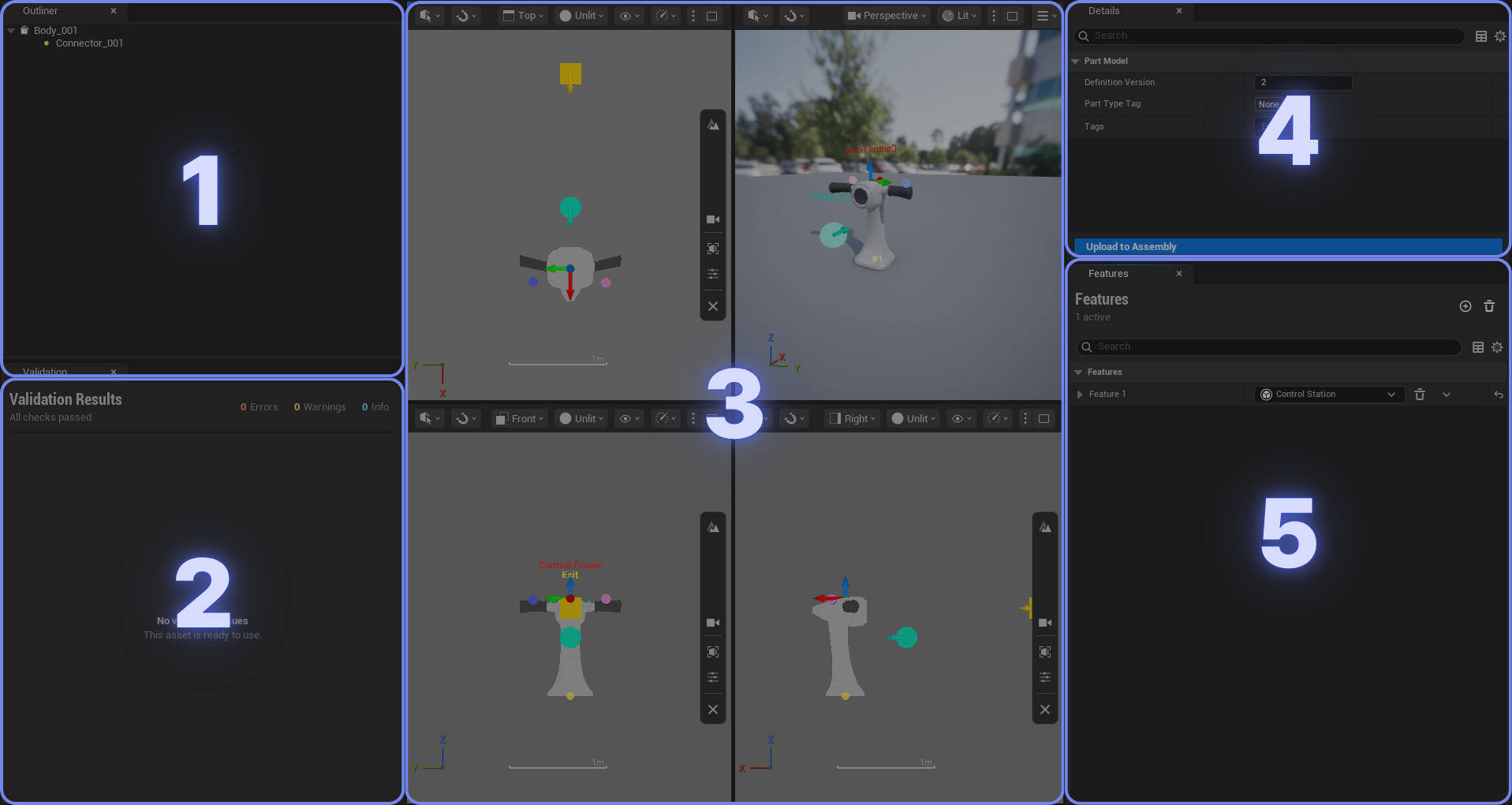
- Outliner: Select the Body, Connectors, Actuators, and other authored elements. Use the context menu to add, rename, or remove them.
- Validation: Check errors and warnings before using the Part Model.
- Viewports: Inspect the mesh and place authored elements from perspective or orthographic views.
- Details: Edit the selected asset or element.
- Features: Add optional Aerodynamic, Buoyancy, Control Station, or Gameplay Behavior features.
Part Model workflow
- Create a CAT Part Model asset, then assign its source mesh and Body settings.
- Add Connectors at the required attachment points.
- Add any required Actuators and optional Features.
- Save the Part Model.
Connector IDs must be unique within the Part Model. Check each Connector's frame and alignment mode carefully: they determine how parts are placed and constrained when they snap together.
Face To Face connector direction
When using Face To Face, align the Connector's X-axis arrow with the attachment surface's normal vector so that it points outward from the surface. CAT uses this X direction as the Connector's facing direction and reverses it against the other Connector when snapping the two faces together.
Upload to Assembly

Direction: Current Part Model → selected referencing Assemblies
Use Upload to Assembly after editing a Part Model to update the Assemblies that directly reference it. Select the target Assemblies, and CAT refreshes and saves them while preserving their existing overrides. Node transforms are rebuilt from the resulting Connector transforms.